
Mobile app PH365 download guide: install the PH365 app fast
Mobile app PH365 lets you play your favorite games from your phone or tablet at any time. This guide shows how to download it, what you need, and how to fix errors. Follow each step and your PH365 account will be ready in minutes.

What is the Mobile app PH365 and why install it?
The app puts the full platform in your pocket. Here are the main points to know first.
- The app gives you access to over 1000 games, including table games, live casino, online slots, and video poker.
- You can play on a mobile phone or tablet, so you are never tied to a desktop.
- Menus for deposits, withdrawals, and support are easy to reach with one tap.
- One PH365 account works on the app and on the website.
- Download promotions appear in the site announcements, so installing can bring extra rewards.
- Both Android and iOS options are shown in the homepage download section.
- Installing saves time because you skip typing the web address on every visit.
- Support from PH365 is available 24/7 if you get stuck during setup.
Requirements before you download
A few simple conditions make the installation smooth. The table below lists what to prepare.
| Requirement | Details |
|---|---|
| Device | An Android phone or tablet, or an iPhone or iPad |
| Operating system | A reasonably recent version; check the download page for the exact minimum |
| Internet | Stable Wi-Fi or mobile data |
| Storage | Enough free space for the file and future updates |
| Download source | The official website only |
| Account | A registered member account for logging in after installation |
| Browser | An up-to-date browser that is allowed to download files |
Exact specifications can change with each release, so confirm them on the official download page. Preparing these items first helps the Mobile app PH365 install without interruptions.
How to download Mobile app PH365 step by step
The process is short on both systems. Pick the section that matches your device.
Find the official download section
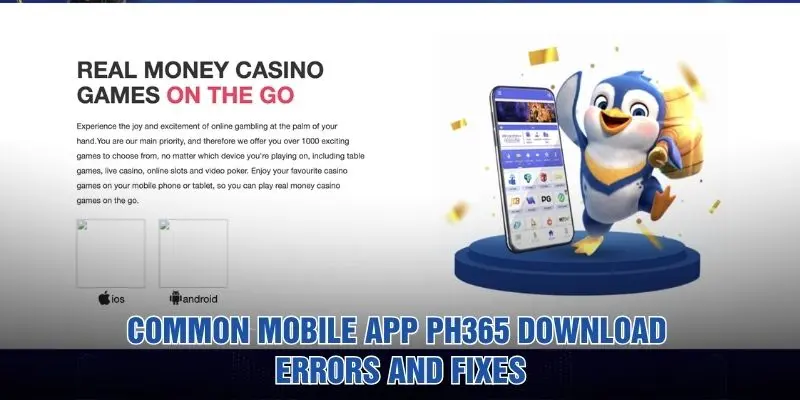
Open the official website in your browser and scroll to the section about casino games on the go. You will see an iOS option and an Android option. You can also tap the Download button at the top of the page. Avoid links from strangers, because only the official website is a safe source for PH365 files.
Download for Android
Tap the Android option and let the browser save the file. When the download ends, open the file and approve the installation. Android may ask for permission to install from your browser, so accept it only for this trusted file. Then open the app and log in to your PH365 account.
Download for iOS
Tap the iOS option and follow the on-screen prompt. Your iPhone or iPad may ask you to confirm the installation or trust the app in settings. Wait until the icon appears on your home screen, then open it. Keep the Mobile app PH365 icon on the first screen for fast access.
Log in and check the home screen
Open the app and sign in with your username and password. If you are new, register first from the same screen. Check that your balance, game list, and deposit menu all load correctly.
Download methods compared
Both systems are supported, and each route has its own strengths. Compare them below.
| Method | Best for | Key point |
|---|---|---|
| Android download | Android phone and tablet users | Save the file from the official site and allow the install |
| iOS download | iPhone and iPad users | Follow the prompt and trust the app if asked |
| Top Download button | Quick access from any page | The banner at the top of the site starts the process |
| Mobile browser | Players who do not want to install | Open the website directly on your phone |
Methods may change as the platform updates, so check the homepage for the latest options. Any of these routes lets you enjoy PH365 on your phone.
Bonuses and announcements about the app
The announcement window on the site often mentions app rewards. Keep these points in mind.
- The announcement list highlights downloading app version 1.1.1.1 to receive an ₱18 bonus.
- Check the latest Mobile app PH365 version in the announcement before you install.
- Another notice mentions an app reward of ₱27, so read each notice fully.
- A 15% bonus on your first deposit each day is also announced.
- A 2% bonus for top-ups made through Pay Maya appears on the same list.
- A daily red envelope rain with big prizes is advertised as well.
- Promotion terms can change, and turnover rules may apply to bonus funds, so open each notice for the conditions.
- Contact customer service at PH365 if a download reward does not appear.
Common Mobile app PH365 download errors and fixes
Most problems have a quick fix. These are the cases players meet most often.
Download does not start
A weak connection or a blocked browser setting often stops the file. Switch between Wi-Fi and mobile data, then try again. Make sure the browser is allowed to download files. If nothing changes, reload the Mobile app PH365 download section and tap the button once more.
Installation is blocked on Android
Android may block files that come from outside the store by default. Open the prompt, allow your browser to install apps, and run the file again. Turn the setting off afterward for safety. Only do this with the official file from PH365.
iOS asks you to trust the app
If the app will not open, your iPhone may need you to approve it in settings. Follow the prompt carefully and confirm only the file you downloaded yourself. Restart the device if the icon stays gray. Contact support if the message keeps returning.
Not enough storage space
Installation fails when the device is full. Delete unused apps, photos, or videos to free some room. Then download again, and keep a little space free for future updates of the Mobile app PH365.
App crashes or will not log in
Check that your username and password are correct and that your connection is stable. Close the app completely and open it again. If it still fails, update to the latest version or reinstall it. Your PH365 balance is stored on your account, not on the device.
Website or app access is restricted
Some networks or regions may limit access to the site. The announcement section includes a notice about solving access restrictions, so read it first. Try another network, and contact customer service if the page is still blocked.
Tips for a safe and smooth installation
Good habits protect your device and your account. Apply them every time you install or update.
- Download only from the official website, never from links sent by strangers.
- Check the web address carefully before you tap the download button.
- Keep your device software updated to avoid compatibility problems.
- Avoid weak public Wi-Fi when you log in or make payments.
- Never share your password or verification codes, even with people who claim to represent PH365.
- Set a screen lock so nobody else can open the Mobile app PH365 on your phone.
- Update the app whenever a new version is announced.
- Treat gaming as entertainment, play within your budget, and follow the legal age rules in your country.
- Contact PH365 support if a file or message looks suspicious.
Frequently asked questions about the app
Here are quick answers to the questions players ask most.
Can I use one account on the app and the website?
In most cases, yes. One member account works across devices, so you can log in with the same details on your phone and on a computer. Your balance and history are tied to the account.
Which devices work with the app?
The homepage offers Android and iOS versions, so most phones and tablets are covered. Check the download page for the exact system requirements before you start. Tablets can also use the Mobile app PH365 if they meet the same conditions.
How do I get the download bonus?
Open the announcement window and read the notice about the app download. Install the version it describes, then log in to your account. If the reward does not appear, send customer service a short message with a screenshot. PH365 staff can then check it for you.
Do I have to install the app to play?
No. You can also open the website in your mobile browser. The app, however, keeps your games one tap away and is quicker to launch. Choose whichever method suits you best.
Where can I get help?
Customer service is available 24/7 through the site. Share your device model, system version, and a screenshot of the error. This helps the team solve your Mobile app PH365 problem faster.
Conclusion
With the steps above, you can install Mobile app PH365 on your phone in just a few minutes. Check the requirements, download from the official source, and read every announcement before you claim a reward. With PH365 support open around the clock, you can enjoy your games anywhere.